YouTube Tag Generator vs Manual Keyword Research: Which Is Right for You?
The question comes up constantly: should you use an automated tag generator or do your own keyword research? We've used both approaches across different channel types and upload frequencies. The honest answer isn't that one is universally better — it's that each wins in specific situations. Here's exactly when to use which.
1. What Each Approach Actually Does
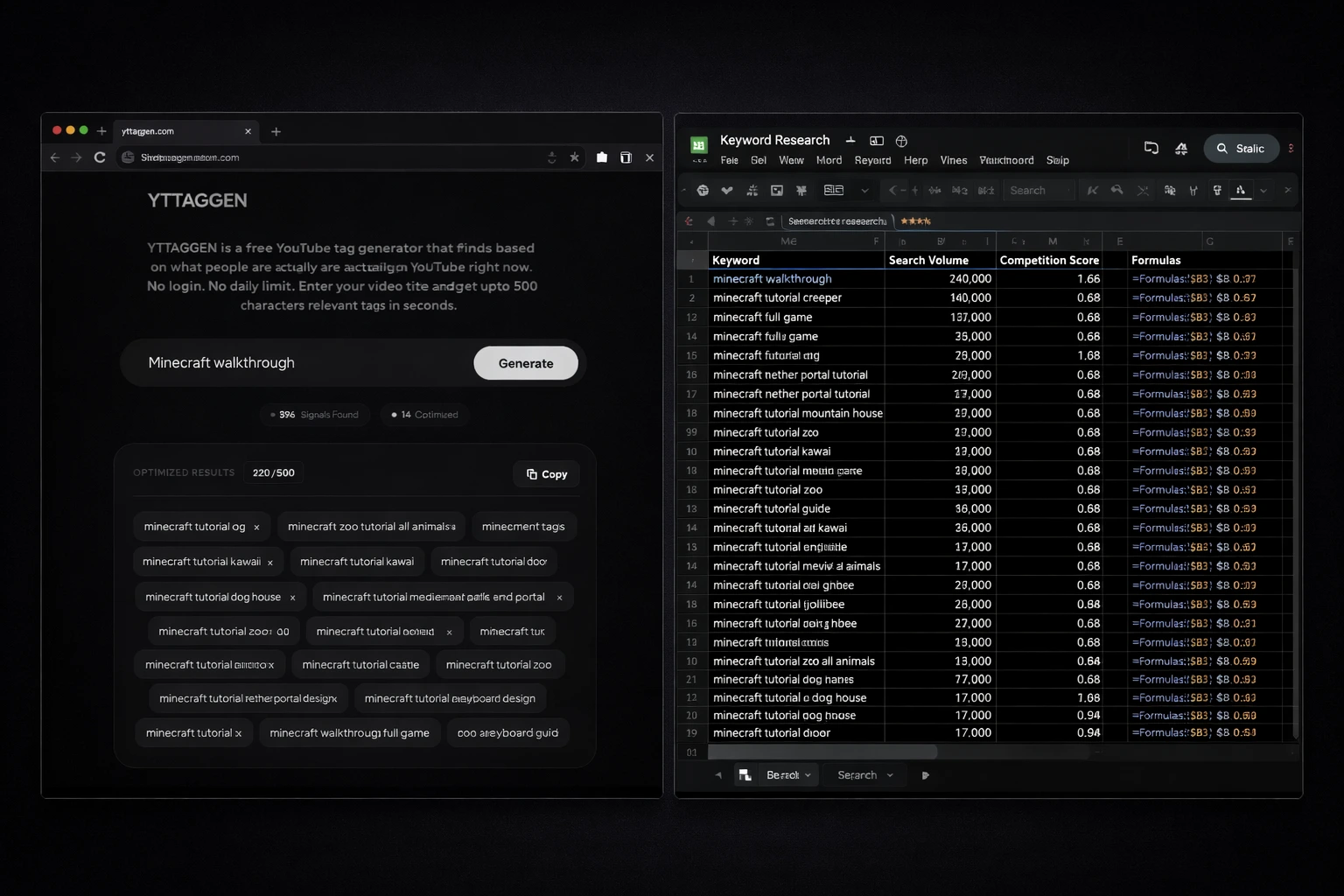
Automated tag generation (like YTTAGGEN) uses real-time YouTube autocomplete data to generate a relevant tag list in under 30 seconds. It requires no keyword research expertise and produces tags that reflect real current search behavior. The limitation: you get the tags without strategic context — no search volume, no competition data, no competitor analysis.
Manual keyword research uses tools like TubeBuddy Pro, VidIQ Boost, Ahrefs' YouTube Keyword Explorer, or Google Trends to identify specific keywords, analyze how competitive they are, and craft a tag strategy that balances search volume with rankability. It's slower — typically 30-90 minutes per video — but produces a more strategically refined result. The limitation: that time cost doesn't scale for regular uploaders.
Most discussions of this topic frame it as either/or. It shouldn't be. The real answer is a hybrid — using each approach where it adds the most value.
2. The Core Trade-off: Speed vs Strategic Depth
3. When a Tag Generator Wins
Regular Upload Schedule (2–5+ videos/week)
This is where tag generators are irreplaceable. Manual research at 3-5 videos per week would consume 2-7 hours weekly — time that should go toward content. YTTAGGEN's 30-second workflow means tags are never the bottleneck in your production pipeline.
Trending / Time-Sensitive Content
When a game just launched, a news story broke, or a viral trend is peaking, the first hours matter enormously. A tag generator lets you capture that window immediately. Manual research would cost you the moment — and trending search windows often close within 24-48 hours.
New Channels (Under 10K subscribers)
Here's the counter-intuitive truth: new channels can't rank for highly competitive keywords regardless of how perfectly chosen their tags are. At that stage, 'good enough' tags generated quickly outperform 'perfect' tags researched slowly. Channel authority matters more than tag precision for new creators.
Broad Content Creators
If you create content across multiple topics or genres — instead of one specialized niche — building deep manual keyword expertise in every category is impractical. A tag generator adapts to any topic without requiring niche-specific knowledge.
4. When Manual Research Wins
High-Investment Evergreen Content
If you're spending a week making a definitive guide or comprehensive tutorial, spending an extra hour on keyword research is proportionally justified. The video will live for years — so will the tags. Use VidIQ or TubeBuddy to find the highest-value keyword combination.
Competitive Niche Channel Strategy
For established channels in saturated niches (finance, fitness, tech), manual research reveals tag gaps — high-volume keywords your top competitors aren't fully covering. This strategic edge requires data that only paid research tools provide.
Quarterly Content Planning
When planning your content calendar for the next quarter, manual keyword research identifies which topics have the best search volume-to-competition ratio. This is strategic, not tactical — you're choosing what to make, not just how to tag it.
High-Value Hero Content
Your 'pillar' videos — the ones you're building your channel identity around — deserve manual research investment. Knowing the exact search volume and competition for your target keywords helps you set realistic expectations and craft the most precise tag set possible.
For manual research, we recommend VidIQ's keyword research tool or Ahrefs' YouTube Keyword Explorer for deeper search volume and competition data on paid plans.
5. The Hybrid Approach That Works Best
After testing both approaches extensively across different channel types, the workflow that consistently produces the best results isn't either extreme — it's a deliberate combination:
Start with YTTAGGEN (Always)
Generate your base tag set in 30 seconds. This gives you real, current search data covering the main keyword landscape around your topic. It's your foundation.
Layer in Manual Additions (For Priority Videos)
For your most important videos, open YouTube's search bar and manually verify 2-3 of your most important tags by checking the autocomplete suggestions and the competition in the results. No tools needed — just 5 minutes.
Add Niche-Specific Tags You Know
Your subject-matter expertise is something no tool can fully replicate. Add 3-5 tags that you know from experience are how your specific audience searches. This is the most underrated part of tag strategy.
Review and Remove Irrelevants
Scan the full generated list and remove any tags that don't accurately describe your video. Irrelevant tags confuse YouTube's classification and should always be removed.
💡 The 80/20 Rule for Tags
80% of your tag value comes from getting the fundamentals right: a relevant primary keyword first, a mix of specific and broad tags, no irrelevant clickbait tags. YTTAGGEN handles this for you. The remaining 20% is optimization that matters mainly for high-investment videos — and that's where selective manual research adds value.
6. Our Recommended Workflow by Channel Type
New Creator / 1–2 videos/week
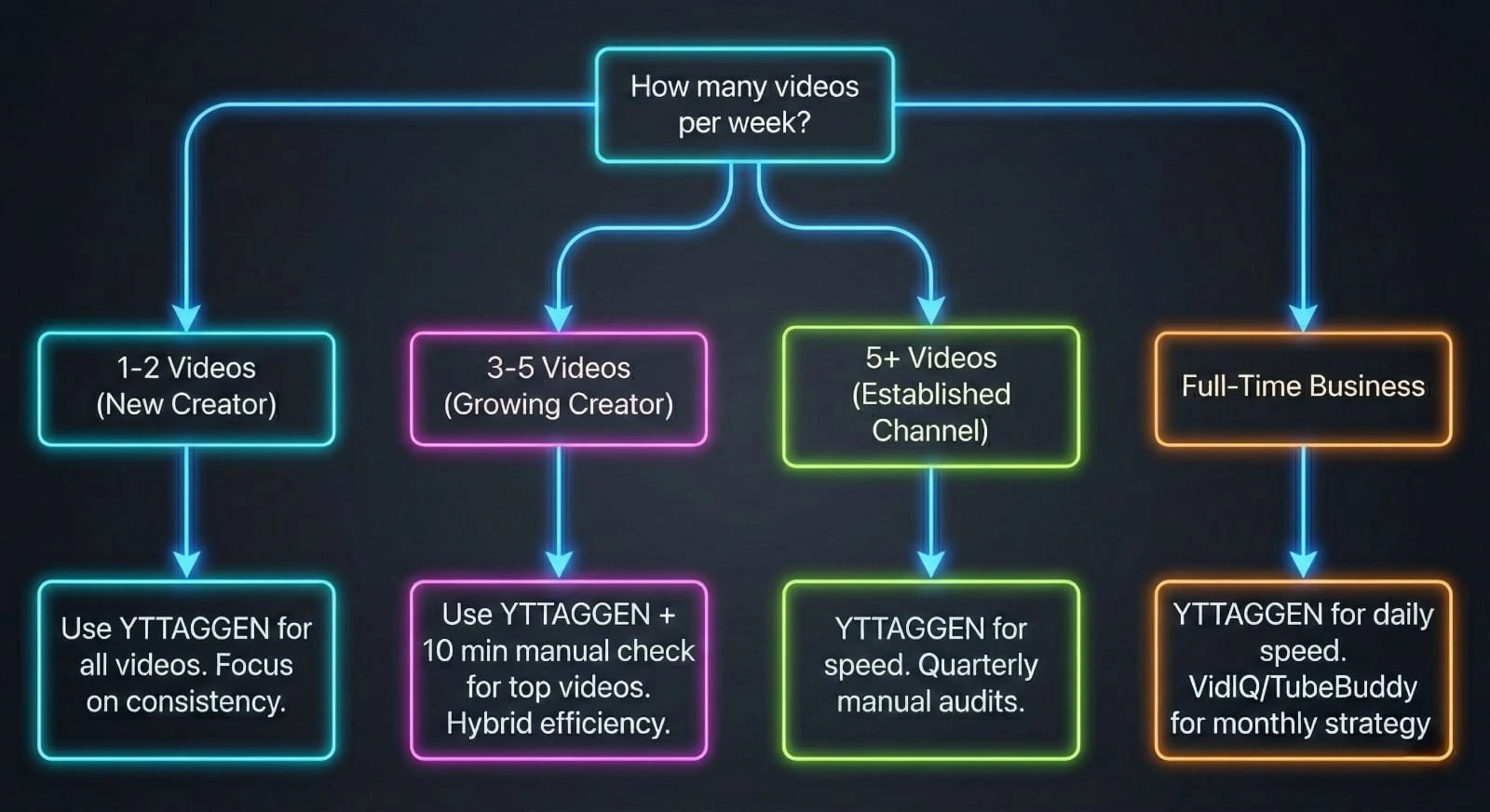
Use YTTAGGEN for every video. Don't spend time on manual research yet — focus on content quality and publishing consistency. Tags from YTTAGGEN are good enough to not hold you back at this stage.
Growing Creator / 3–5 videos/week
Use YTTAGGEN as your primary tool. For your 1-2 most important uploads per week, spend 10 extra minutes verifying your top 3 tags manually. This hybrid gives you efficiency plus strategic sharpness.
Established Channel / 5+ videos/week
YTTAGGEN for speed on all uploads. Quarterly manual research sessions to audit your best-performing content and identify keyword opportunities. One team member can own tag strategy.
Full-Time Content Business
YTTAGGEN for rapid daily content. VidIQ or TubeBuddy Pro for monthly competitive analysis and strategic planning. Both tools earn their place in a professional workflow.
Start With YTTAGGEN Right Now
Generate tags for your next video in 30 seconds. Add your own expertise on top — that's the hybrid that wins.
Open Free Tag Generator →Related Guides
New From The Blog
Frequently Asked Questions
Is using a tag generator better than manual keyword research?
For speed and breadth, generators win — they explore hundreds of autocomplete combinations in seconds. For depth and strategic planning (competitive analysis, search volume data), manual research with tools like Ahrefs or TubeBuddy adds extra value. The ideal approach combines both: generate a base set, then refine with manual insights for your most important videos.
When should I do manual tag research instead?
Do manual research for hero content — your highest-investment, most competitive videos. When you're planning a video around a specific keyword with significant search volume, researching that keyword's competition level before filming is worth the extra time. For regular uploads, a generator is more efficient.
Can I trust autocomplete-based tag suggestions?
Yes — autocomplete suggestions come directly from YouTube's own data about what viewers search. They're among the most accurate signals available for free. The caveat: they show what people search, not how competitive those searches are. For competition data, you need additional tools.
YouTube Tags Strategy — Complete Guide Series
Everything you need to know about YouTube tags — from whether they work, to how many to use, to niche-specific lists for your channel type. Use YTTAGGEN's free tag generator to apply what you learn instantly.
Do Tags Still Matter in 2026? →
Honest algorithm breakdown
How Many Tags Should You Use? →
The 500-character strategy
Tags Not Working? Fix It →
5 real reasons + solutions
Best Gaming Tags 2026 →
Full lists for every gaming niche
Best Cooking Tags 2026 →
Recipe, dietary, cuisine lists
Best Tech Review Tags 2026 →
Smartphone, laptop, unboxing tags
Best Finance Tags 2026 →
Investing, crypto, personal finance
Tags vs Hashtags Explained →
Key differences + when to use each
How to Add Tags Step by Step →
YouTube Studio guide 2026
YouTube Tags for Beginners →
Complete 2026 beginner guide