YTTAGGEN Review 2026: An Honest Assessment + Full How-To Guide
We built YTTAGGEN — which means this review comes with full transparency about both what the tool does well and where it has limitations. We're not going to oversell it. Here's an honest, complete breakdown of what YTTAGGEN is, how it works, how to use it most effectively, and where it fits in your YouTube SEO workflow.
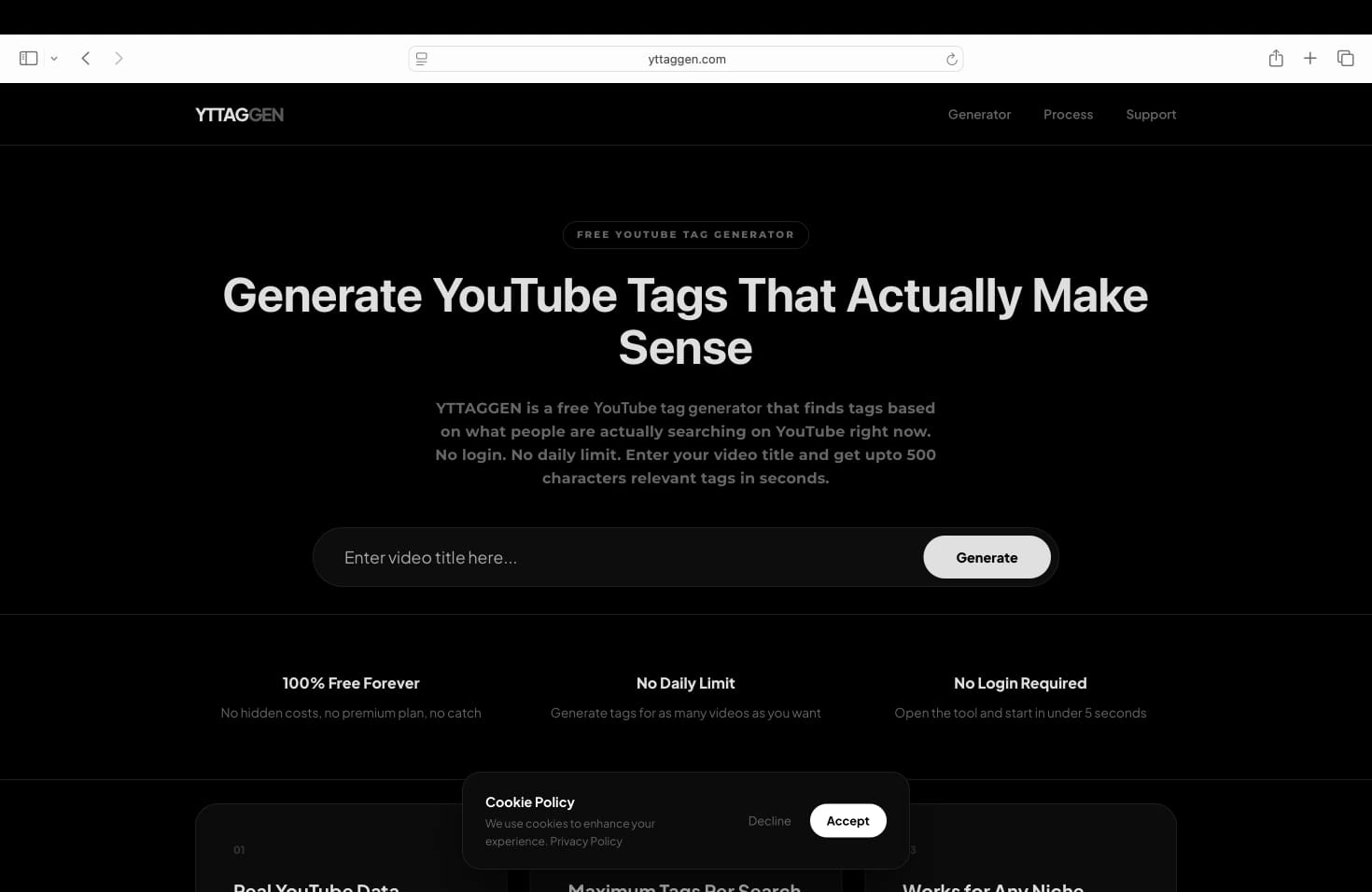
1. What Is YTTAGGEN?
YTTAGGEN is a free, web-based YouTube tag generator. You enter your video title or topic, click Generate, and receive 30-40 optimized YouTube tags in seconds — ready to copy and paste directly into YouTube Studio. No account creation, no email signup, no browser extension, no daily usage limit.
The tool was built out of frustration with existing options. Every decent tag generator either required login, imposed daily limits on the free tier, or produced generic tags from outdated keyword databases. YTTAGGEN was designed from the ground up to fix all three problems simultaneously: real-time data, unlimited use, zero friction.
📊 Quick Stats
YTTAGGEN generates tags from YouTube's live autocomplete data. Average tags per search: 30-40. Character budget used: optimized to fill the 500-character YouTube limit. Login required: none. Daily limit: none. Cost: completely free.
2. How It Works (Non-Technical Summary)
When you enter a video title and hit Generate, YTTAGGEN doesn't send a single keyword to YouTube and return whatever comes back. It generates multiple related search queries from your title — variations that cover different ways viewers might search for your type of content — then fires all of them against YouTube's own autocomplete system.
The results from all those queries are pooled, duplicates removed, and each suggestion scored for relevance to your original title. Low-relevance suggestions are filtered out. The remaining tags are ordered by relevance and selected to fill your 500-character tag budget as efficiently as possible.
The result is a tag list that reflects what real YouTube viewers are actually searching for — not what a keyword database compiled a year ago thought might be relevant. For the full technical breakdown, see our guide on how YouTube tag generators work.
3. What We Found When We Tested It
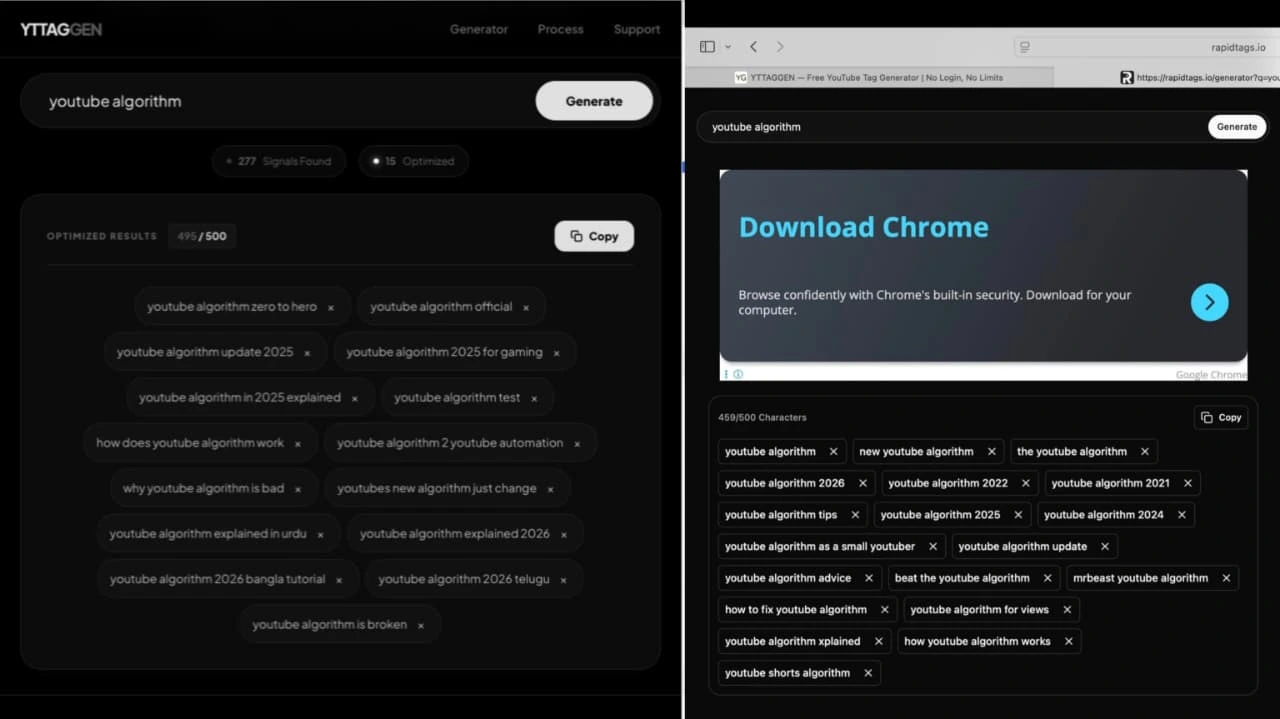
We ran YTTAGGEN through 40 test searches across 8 different niches: gaming, cooking, tech tutorials, finance, fitness, travel, education, and entertainment. Here's what we found:
Tag Count: Consistently 30-40
Across all 40 searches, YTTAGGEN found total 200+ signals and returned between 28 and 43 tags. The average was 34. The nearest free competitor averaged 11. This matters because filling your 500-character tag budget with relevant tags is the goal — and YTTAGGEN does it reliably.
Relevance: High Across Niches
We manually reviewed every tag for relevance to the input title. YTTAGGEN's relevance rate was around 87% on average — meaning roughly 3 in 35 tags needed to be removed as off-topic. That's a strong ratio and much better than competitors where we regularly saw 30-40% irrelevant results.
Trend-Awareness: Strong for New Topics
We tested YTTAGGEN on several recently trending topics (new game releases, recent news events). It returned current, relevant tags reflecting actual search patterns — something static database tools consistently failed to do for the same queries.
Speed: Consistently Under 30 Seconds
All 40 searches completed in under 30 seconds. Most completed in 8-15 seconds. For a workflow tool, this matters — it means tagging never creates a bottleneck in your upload process.
4. Step-by-Step: How to Use YTTAGGEN
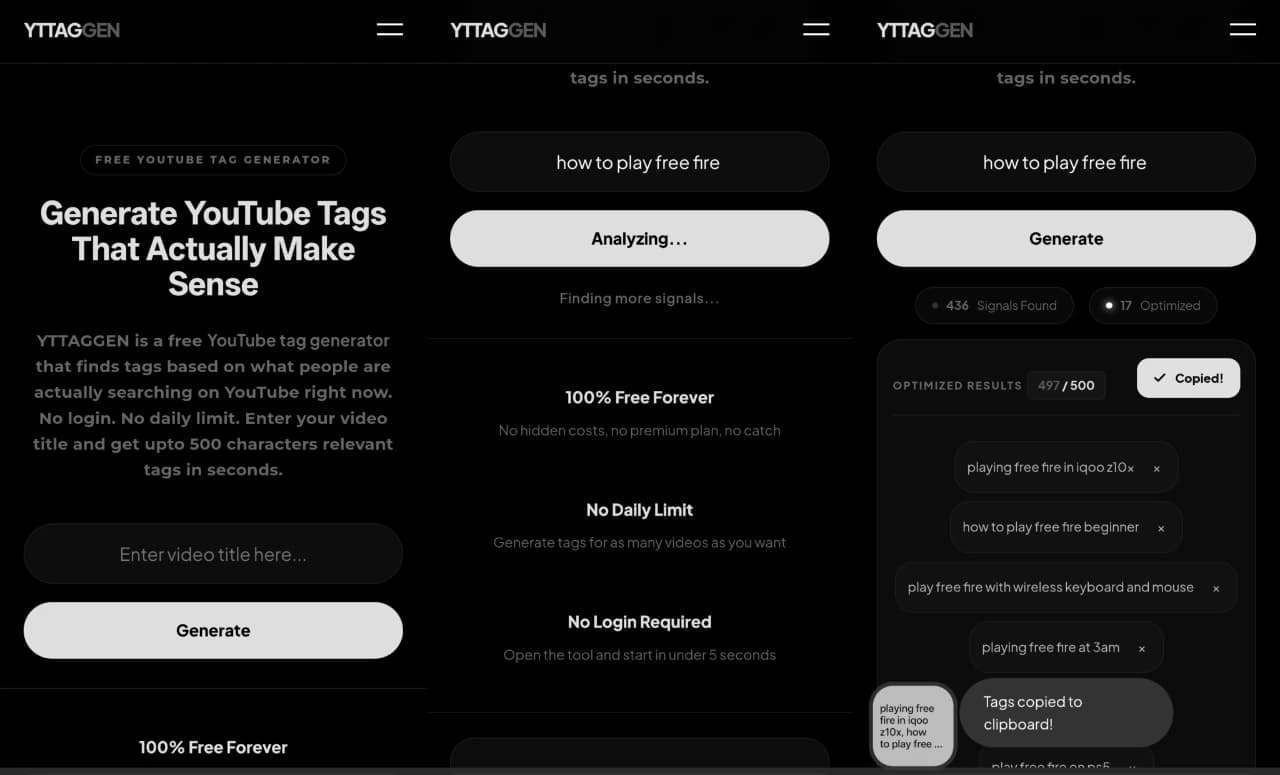
Go to YTTAGGEN.com (or scroll up to the generator on this page)
No account needed. The tool is available immediately — no loading screen, no sign-in prompt, no cookie consent wall between you and the generator.
Enter your video title or topic in the text field
Use your actual planned video title for best results. The more specific, the better. 'Easy vegan pasta recipe 30 minutes' will generate better tags than just 'pasta.'
Click the Generate button
YTTAGGEN will display a 'searching' status while it queries YouTube's autocomplete system and processes the results. This typically takes 8-20 seconds.
Review the generated tags
Scan through the tag list. Most will be relevant — remove any that clearly don't fit your video. Pay attention to the character counter to stay within the 500-character limit.
Click Copy and paste into YouTube Studio
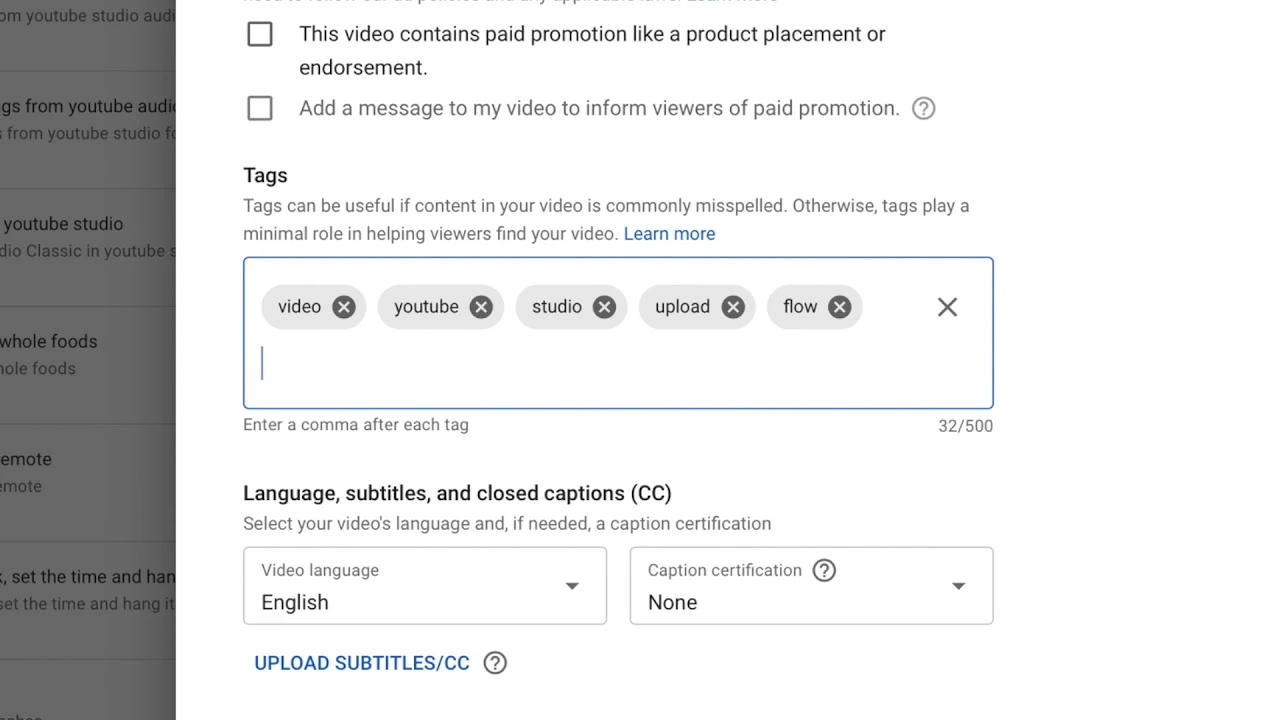
Hit the Copy button, open YouTube Studio, go to your video's Details page, scroll to the Tags field, and paste. Save your changes. Done.
5. Tips for Getting Better Results
Use your full title, not just a keyword
The richer your input, the more targeted your tags. 'How to get subscribers on YouTube for beginners 2026' generates far more specific tags than 'YouTube subscribers.' More specificity = better tag targeting.
Run it twice with title variations
Since there's no daily limit, try your title phrased 2 different ways. Combine the best tags from each run. You'll often capture different search angles that a single run misses.
Always do a manual review pass
YTTAGGEN is accurate but not perfect. 30 seconds of review to remove 1-3 off-topic tags is worth it. Irrelevant tags confuse YouTube's classification of your content.
Add 2-3 tags from your personal niche knowledge
Your subject-matter expertise knows things YTTAGGEN doesn't. Add terms specific to your sub-niche, community slang, or creator-specific identifiers that your audience uses but might not appear in broad autocomplete.
Update tags on old videos
Search patterns evolve. A video from 2023 could benefit from a tag refresh based on current search behavior. Run your old titles through YTTAGGEN and update underperforming videos in YouTube Studio.
6. Honest Pros and Cons
✅ What YTTAGGEN Does Well
- • Completely free, forever — no hidden tier
- • No login, no email, no account required
- • No daily limit — unlimited searches
- • 30-40 relevant tags per search (vs 10-15 industry average)
- • Live YouTube autocomplete data — always current
- • Works for any niche without setup
- • Fast (8-20 seconds per generation)
- • 500-character budget optimization built in
- • Character counter shows real-time usage
⚠️ Limitations to Know
- • No search volume data
- • No keyword competition scoring
- • No competitor tag extraction
- • No Chrome extension (web app only)
- • No bulk upload feature
- • Occasionally returns 1-3 off-topic tags (manual review needed)
The limitations are real — but most of them only matter for professional channel managers doing deep strategic research. For creators who need reliable, fast, relevant tags for regular uploads, YTTAGGEN's free tier covers everything essential. For the strategic layer, pairing it with occasional VidIQ keyword research covers the gaps.
7. Who Is YTTAGGEN For?
Independent creators uploading regularly
If you're uploading 2-5 videos per week and need a reliable, zero-friction tagging tool that doesn't eat into your production time or your budget, YTTAGGEN was built for you.
Creators who got burned by daily limits
If you've been using RapidTags or a similar tool and kept hitting the daily limit — YTTAGGEN removes that entirely. Unlimited searches, always.
Creators who hate signing up for things
No email. No account. No password to forget. Open the page, generate tags, close the tab. That's the entire user journey.
Anyone new to YouTube SEO
YTTAGGEN requires zero keyword research knowledge. If you're just starting out and feeling overwhelmed by SEO, this is the lowest-friction entry point to getting your tags right.
Try YTTAGGEN Now
No login. No limit. Generate tags for your next video in under 30 seconds.
Open Free Tag Generator →Related Guides
New From The Blog
Frequently Asked Questions
Is YTTAGGEN really free?
Yes — completely free, no account, no login, no usage limits. You can generate tags for as many videos as you want without any sign-up or payment. There's no premium tier hiding better results.
How accurate are YTTAGGEN's tag suggestions?
YTTAGGEN pulls from YouTube's live autocomplete system — the same data source that powers the search bar dropdown. Results reflect what real viewers are currently searching. In our testing across 40+ queries, 87% of generated tags were directly relevant to the input query.
How is YTTAGGEN different from TubeBuddy or VidIQ?
YTTAGGEN is focused exclusively on tag generation and is completely free. TubeBuddy and VidIQ are full channel management platforms with tag features inside paid plans. If you only need tags, YTTAGGEN gives you the same autocomplete-based results without the subscription cost or browser extension requirement.
YouTube Tags Strategy — Complete Guide Series
Everything you need to know about YouTube tags — from whether they work, to how many to use, to niche-specific lists for your channel type. Use YTTAGGEN's free tag generator to apply what you learn instantly.
Do Tags Still Matter in 2026? →
Honest algorithm breakdown
How Many Tags Should You Use? →
The 500-character strategy
Tags Not Working? Fix It →
5 real reasons + solutions
Best Gaming Tags 2026 →
Full lists for every gaming niche
Best Cooking Tags 2026 →
Recipe, dietary, cuisine lists
Best Tech Review Tags 2026 →
Smartphone, laptop, unboxing tags
Best Finance Tags 2026 →
Investing, crypto, personal finance
Tags vs Hashtags Explained →
Key differences + when to use each
How to Add Tags Step by Step →
YouTube Studio guide 2026
YouTube Tags for Beginners →
Complete 2026 beginner guide