YouTube Tags for Beginners — Everything You Need to Know
This YouTube tags beginner tutorial is your complete starting point: what YouTube tags are and how to use them, how to choose your first tag, beginner-friendly tag examples across real niches, and everything else about tagging for discoverability on a new channel.
This YouTube tags beginner tutorial covers everything: what YouTube tags are and how to use them, tags explained for new creators, tag strategy for new channels, the most common tag mistakes beginners make, tags vs keywords for newbies, how to choose your first tag, a complete beginner tag checklist for YouTube, the right tags for your first 10 videos, channel tags vs video tags explained, beginner-friendly tag examples across three niches, how to do tag research for new creators, building good tagging schedule and habits, how to avoid spammy tags on YouTube, and the full guide to tagging for discoverability.
This YouTube tags beginner tutorial is designed for new creators who want a clear, no-jargon explanation of what YouTube tags are and how to use them. You'll learn tags explained for new creators — covering everything from your first tag to a full beginner tag checklist for YouTube, how to choose your first tag, and how to tag for discoverability from video one.
If you're new to YouTube, tags can feel confusing — especially when advice online contradicts itself. This guide cuts through all of it. You'll learn exactly what YouTube tags are, how they affect your video's discoverability, how many to use, what mistakes to avoid, and how to build your first tag set in under five minutes.
4. The Beginner Tag Formula
For every video, build your tags using this four-layer formula. It ensures you cover both broad discovery and specific search intent:
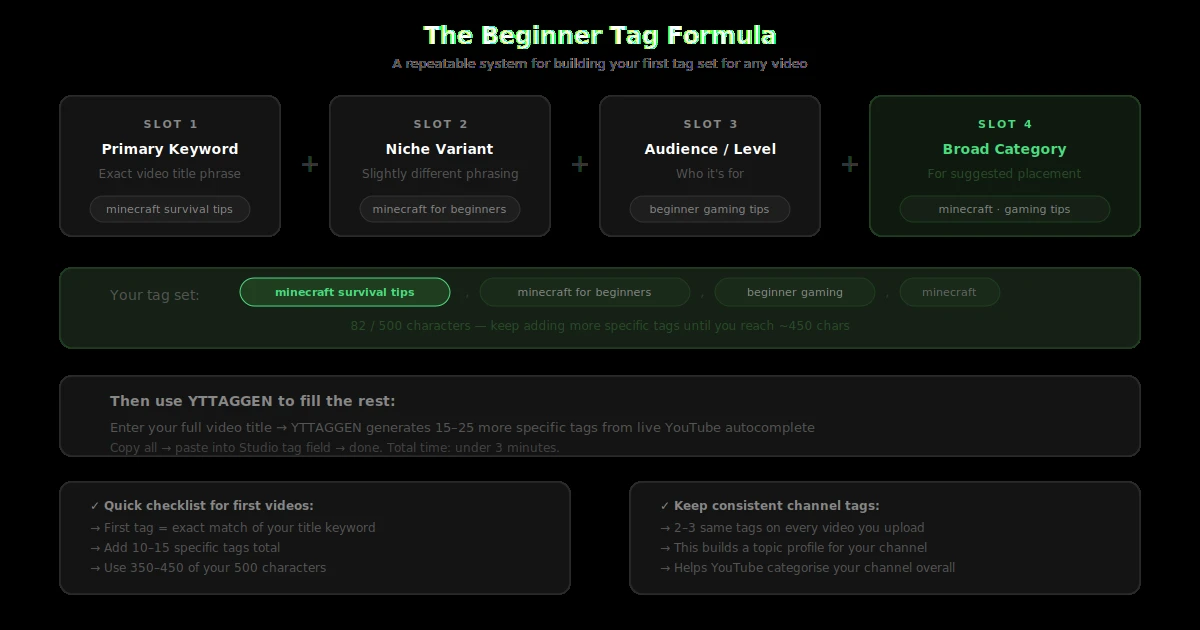
Tag 1: Exact keyword from your title
Your first tag should match or closely mirror your video title's main keyword. This is the highest-weighted tag position.
Tags 2–5: Specific long-tail variations
3–4 word phrases that describe your video from slightly different angles. 'easy pasta recipe no eggs', 'pasta from scratch beginner', 'homemade pasta tutorial'.
Tags 6–8: Related medium-tail phrases
Slightly broader phrases that describe the category. 'Italian cooking', 'pasta recipes', 'beginner cooking tutorial'.
Tags 9–11: Broad category tags
1–2 word category labels. 'cooking', 'recipe', 'food tutorial'. Keep these to 2–3 maximum — they're for category placement, not ranking.
Tags 12+: Misspellings and variants
If your topic, brand, or game name is commonly misspelled, add the misspelling. YouTube explicitly recommends this use case.
📐 Practical Example — 'How to make vegan ramen'
Tag 1: how to make vegan ramen | Tags 2–5: easy vegan ramen recipe, homemade vegan ramen, vegan ramen from scratch, vegan ramen no meat | Tags 6–8: vegan noodle soup, plant based ramen, easy vegan recipes | Tags 9–11: vegan cooking, vegan recipe, plant based cooking
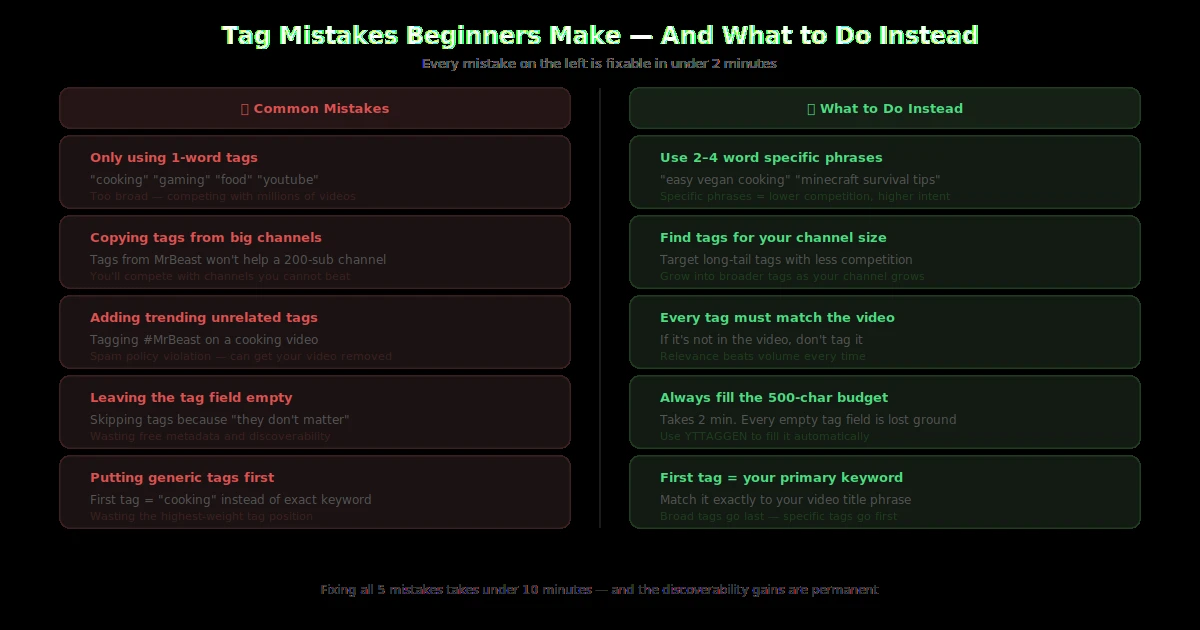
5. Tag Mistakes Beginners Make (And How to Avoid Them)
❌ Using only 2–3 tags and leaving the field mostly empty
You have 500 characters — use them. Every empty character is metadata you're giving away for free. The more relevant tags you have, the more search intent variations your video can match.
❌ Adding irrelevant popular tags to 'game the algorithm'
Adding '#MrBeast' or '#Trending' to a cooking video doesn't help — it confuses the algorithm and can trigger YouTube's spam filter, which actively reduces your video's distribution.
❌ Repeating the same keyword across multiple tags
Having 'vegan recipe', 'vegan recipes', 'best vegan recipe', 'top vegan recipes' all in your tags adds almost no value. Each tag should represent a distinct intent or variation.
❌ Ignoring tags entirely
Some creators skip tags entirely after reading that they 'don't matter'. They do matter — as a supporting signal, especially for new channels. Skipping them is like not filling in part of a job application. It costs you nothing to do it right.
❌ Only using single-word tags
Single-word tags like 'cooking' or 'gaming' are too broad to help you rank and too generic to help with categorisation. Focus on 2–5 word phrases — that's the optimal length range confirmed by Backlinko's YouTube ranking research.
6. Tag Strategy for Your First 10 Videos
When starting a channel, your tag strategy should do two things simultaneously: help individual videos rank for specific searches, and help YouTube understand what your channel is about as a whole.
Here's a practical approach for your first 10 videos:
Choose 3–4 consistent 'channel niche' tags
Pick 3–4 tags that describe your overall channel focus and use them on every single video. For example: 'beginner cooking tips', 'easy recipes', 'cooking for beginners'. These build a topical profile for your channel over time.
Add 8–12 video-specific tags on top
For each video, add specific tags that match only that video's topic. These vary per video but always sit alongside your consistent channel-level tags.
Always start with your primary keyword as tag 1
Make your first tag the exact keyword you want the video to rank for. YouTube weights first-tag position more heavily.
Generate tags from your actual video title
Use your real, specific video title — not a generic topic — to generate tags. 'Easy Homemade Pasta for Beginners' generates much better tags than 'Pasta Recipe'.
Review analytics after 30 days
After a month, check YouTube Analytics → Traffic Source: YouTube Search to see which searches drove views. Add any search terms that aren't already in your tags.
Generate Your First Video's Tags Right Now
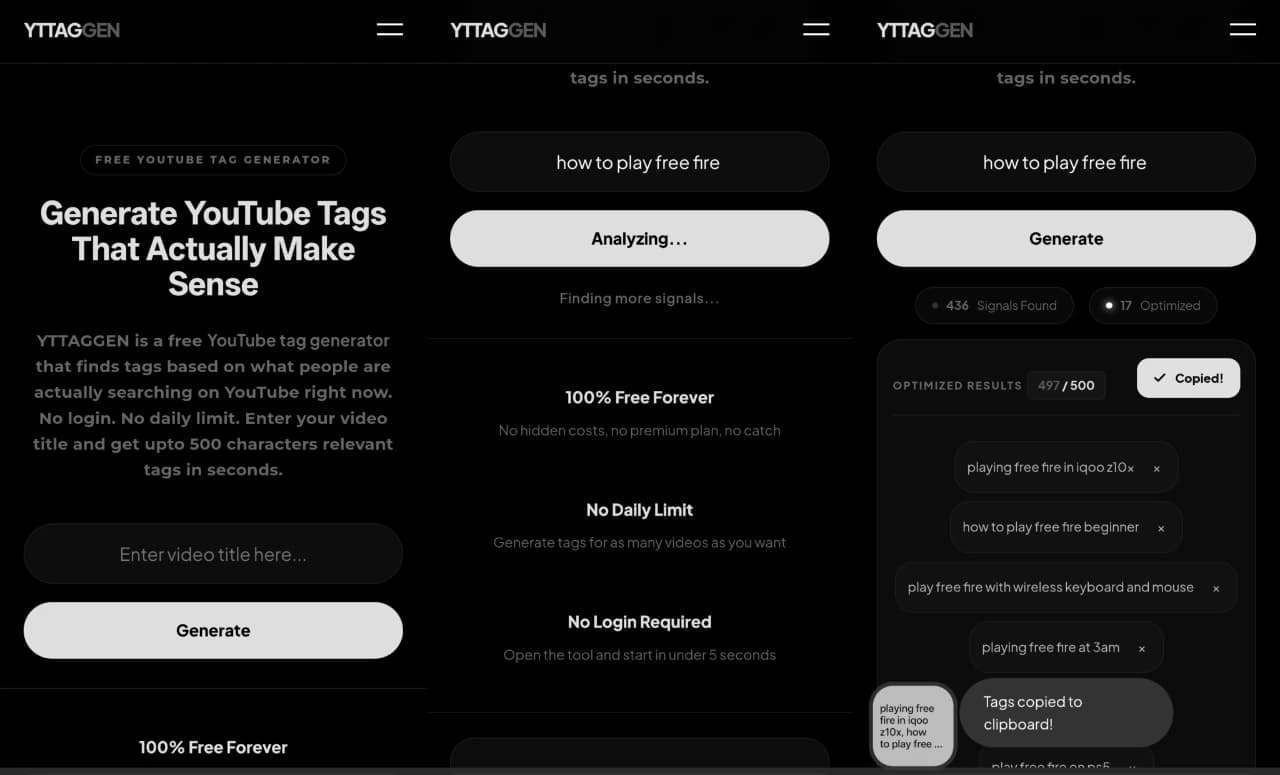
Type your video title into YTTAGGEN and get a complete, optimised tag set in 30 seconds. Free, no account needed.
Generate Tags Free →7. FAQ for Beginners
What are tags on YouTube for beginners?
Tags are hidden keyword labels you add to your video in YouTube Studio. They help YouTube's algorithm understand what your video is about and where to show it in search results and suggested videos. Viewers can't see them — they work in the background.
How to pick tags for my first video?
Match your tags to the specific video, not the general topic. Use phrases people actually search — 3–5 word combinations work best. Your first tag should match your video title's main keyword. Generate the rest with YTTAGGEN using your actual video title.
Can tags help small channels get views?
Yes — more than they help large channels. New channels have no engagement history, so YouTube relies more on metadata to classify and surface content. Well-tagged videos from new channels get categorised faster and appear in relevant searches sooner.
How many tags should a beginner use?
Aim for 10–15 tags using 400–500 of your 500-character budget. Prioritise specific 2–5 word phrases over single generic words.
Do I need to add tags to every YouTube video?
Yes. Even if a single video's tags don't dramatically change its performance, the habit of consistent tagging across all your videos builds a topical profile for your channel that compounds over time. Every video should have a full set of relevant tags.
The Complete Beginner's Tag Guide — Everything in One Place
New to tags? Here's the complete picture — everything you need to build a solid tag strategy for new channels from scratch.
🎯 Tags vs Keywords for Newbies — What's the Difference?
Tags vs keywords for newbies: keywords are what viewers type into search. Tags are what you add to your video to match those searches. The best tags are keywords — but not all keywords are good tags. Single generic keywords like "cooking" or "gaming" are too competitive. 2–4 word phrases like "easy vegan dinner" or "minecraft survival tips" are specific enough to be useful.
1️⃣ How to Choose Your First Tag
How to choose your first tag on YouTube: your first tag should always be your exact target keyword — the primary phrase you want the video to rank for. If your video title is "Easy Chocolate Cake Recipe for Beginners," your first tag should be "easy chocolate cake recipe for beginners" or a close variant. YouTube gives more weight to first tags — treat it as the headline of your tag list.
📋 Beginner Tag Checklist
Use this beginner tag checklist for YouTube for every video:
- First tag = exact match of your target keyword
- 2–3 long-tail variants (3–4 words each)
- 1–2 broad category tags (your niche)
- 1 misspelling variant if applicable
- Total character count under 500
- Every tag is directly relevant to the video
- No duplicate tags
📺 Tags for Your First 10 Videos
For tags for first 10 videos on YouTube, focus on consistency as much as precision. Use 3–4 recurring niche tags across all your early videos — these build YouTube's topical understanding of your channel. New channels with consistent topic signals get categorised faster, which improves suggested placement alongside similar creators.
🔤 Channel Tags vs Video Tags Explained
Channel tags vs video tags explained: video tags (in YouTube Studio → Video Details) apply to individual videos. Channel tags (in YouTube Studio → Settings → Channel → Basic info → Keywords) apply to your entire channel and help YouTube understand what category your channel belongs to. Both matter — channel-level tags set the context; video-level tags do the specific ranking work.
🔍 Tag Research for New Creators
Tag research for new creators doesn't require expensive tools. Start by typing your video topic into YouTube's search bar and studying the autocomplete suggestions — those are real search queries from real viewers. The phrases YouTube suggests are exactly the kind of specific, intent-matched tags you should use. YTTAGGEN automates this process — it pulls all relevant autocomplete suggestions and formats them as a ready-to-paste tag set.
📅 Tagging Schedule and Habits
Developing good tagging schedule and habits early saves hours later. The recommended workflow: generate tags before uploading (not as an afterthought), review them once against your title, then paste and publish. Once a month, audit your best-performing videos' tag performance via YouTube Analytics Traffic Source → YouTube Search to identify which search terms are actually driving views — then use those as tag templates for similar future videos.
🚫 How to Avoid Spammy Tags on YouTube
Learning to avoid spammy tags on YouTube is just as important as using good ones. Spammy tags include: popular creator names added to unrelated videos, trending topics with no connection to your content, repeated variations of the same keyword, and tags that don't accurately describe what's actually in the video. YouTube's spam detection is automatic — violated videos receive reduced distribution, not formal warnings.
💡 Beginner-Friendly Tag Examples
Here are beginner-friendly tag examples across three common niches to show the pattern in action:
Cooking video: "Easy Pasta for Beginners"
Gaming video: "Minecraft Tips for New Players"
Finance video: "How to Save Money on a Small Salary"
Related Guides