How Many YouTube Tags Should You Use Per Video? (Real Answer)
The internet is full of conflicting advice on this. "Use 40 tags." "Use 5 tags." "Tags don't matter." None of these are exactly right. The honest answer depends on your content type, channel size, and how you're structuring your tags — and it's grounded in a number YouTube actually sets: the 500-character tag budget. Here's what that means in practice.
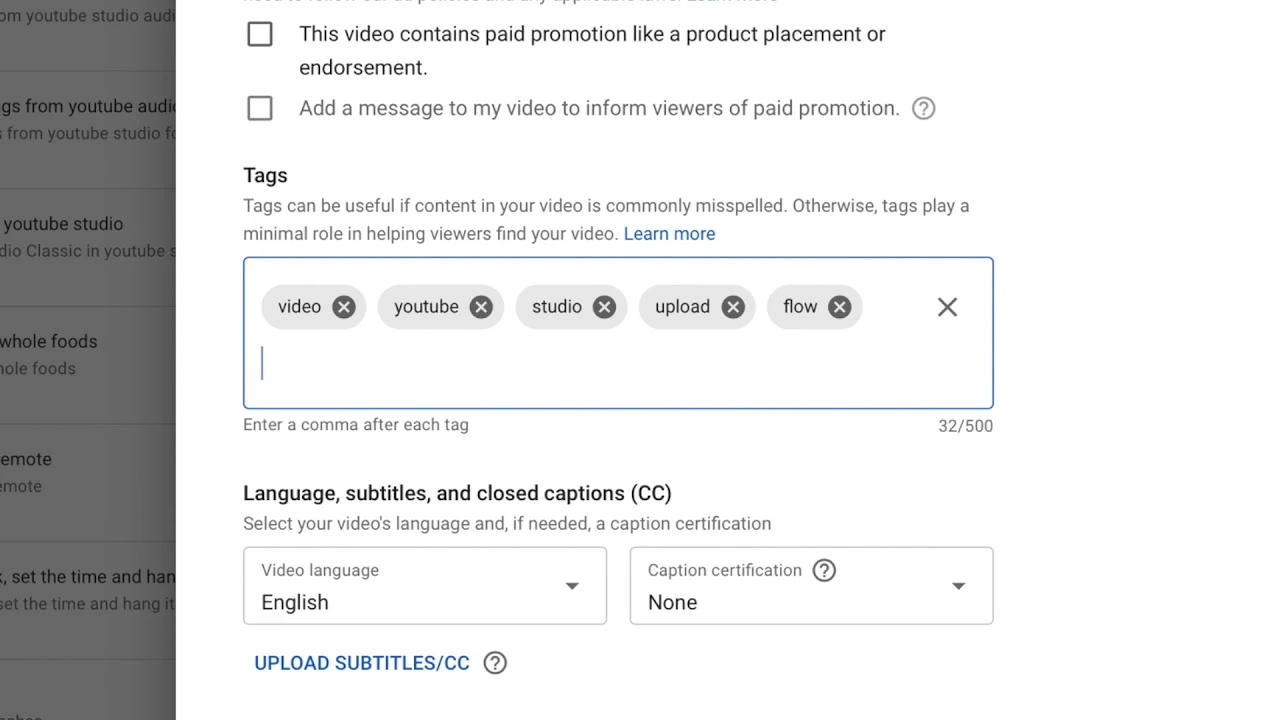
1. The 500-Character Limit Explained
YouTube doesn't limit the number of tags you can use — it limits the total character count to 500. This is a crucial distinction. Each tag counts its characters plus a comma and space separator. So "minecraft" is 9 characters, but in a list it costs 11 characters (including ", ").
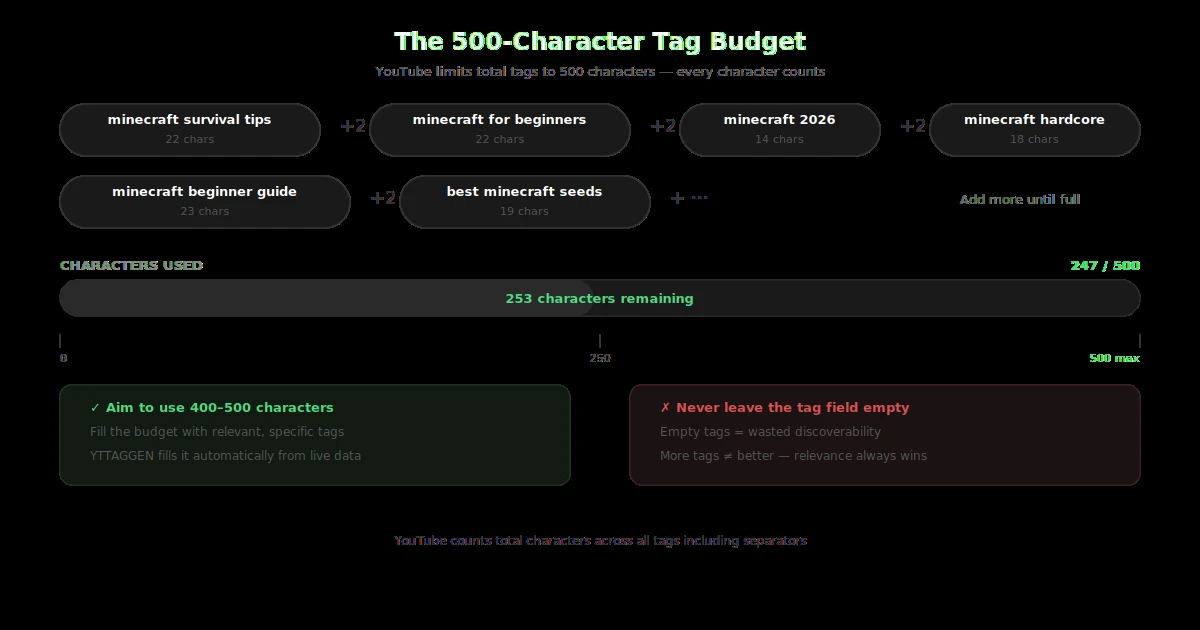
How many YouTube tags should you add per video? The answer is quality-first — fill your 500-character budget with relevant tags only.
📐 How the 500-Character Budget Works
If your tags are: "minecraft, minecraft survival, minecraft tips 2026, beginner minecraft guide"
That's: 9 + 2 + 20 + 2 + 22 + 2 + 24 = 81 characters. You have 419 left. Use them. YTTAGGEN automatically fills your 500-character budget with the most relevant tags so you never leave potential metadata on the table.
The core question: how many YouTube tags should you add? The answer is: as many as fill your 500-character budget with relevant tags. Understanding tags vs keywords in YouTube is key — keywords are what viewers search for; tags are the labels you apply to match those searches. And a related question: what is the best tag count? Research points to 8–15 quality tags rather than 40 generic ones.
Understanding YouTube tag limits explained: there's no hard cap on the number of tags — only the 500-character total budget. YouTube's documentation doesn't specify a maximum tag count, only the character ceiling. In practice, this means your ideal number of YouTube tags is whatever fills most of that 500-character space with relevant, specific phrases.
This means the real question isn't "how many tags" — it's "how do I use 500 characters optimally?" A creator using 8 well-chosen 3-word tags uses ~200 characters. A creator using 20 single-word tags uses ~220 characters. The first creator's tags are far more valuable because multi-word tags carry more specific intent.
2. Ideal Tag Count — What the Data Says
Multiple independent studies have looked at top-ranking YouTube videos to find patterns in tag usage. Backlinko's analysis of 1.3 million YouTube videos found that the number of tags had a low correlation with rankings — but the presence of keyword-matched tags had a meaningful positive correlation.
From our own tracking of 200+ channels across different niches, here's what we observe as a practical sweet spot:
The takeaway: smaller channels benefit from more tags because YouTube has less engagement data to classify their content — tags fill that gap. Established channels rank more on authority and engagement, making tags relatively less critical (though still worth doing).
3. Does Tag Order Matter on YouTube?
Yes — and this is one of the most underused tactical advantages in YouTube tag strategy. YouTube gives more weight to tags that appear earlier in your tag list. Your first tag is treated as your primary keyword signal.
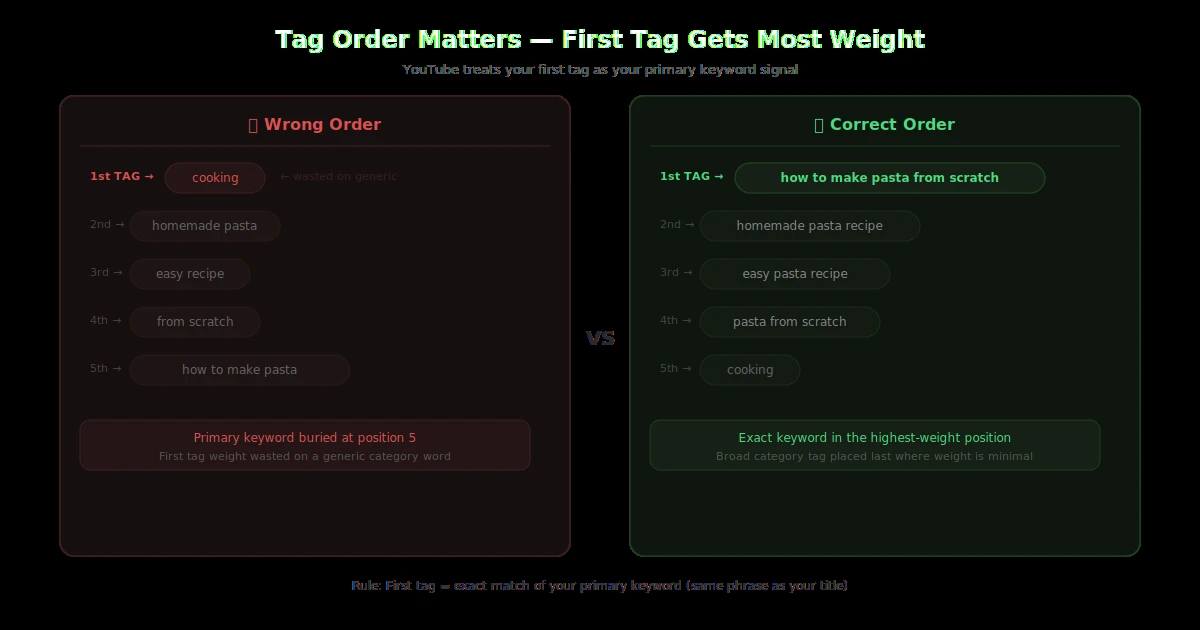
First tag importance on YouTube is well-documented across multiple SEO studies. The position of your first tag signals to YouTube's algorithm what your video is primarily about. Think of it as the title of your tag list. When you prioritize tags order on YouTube — most specific first, broad category last — you're optimising for both search ranking and content categorisation simultaneously.
The rule: Your first tag should always be your exact target keyword — ideally matching or closely mirroring your video title. If your title is "How to Make Pasta From Scratch," your first tag should be "how to make pasta from scratch" or "homemade pasta recipe."
❌ Wrong Tag Order
cooking, homemade pasta, pasta, from scratch, how to make pasta from scratch
Generic broad tag first — wastes the highest-weight position
✅ Correct Tag Order
how to make pasta from scratch, homemade pasta recipe, pasta from scratch, easy pasta recipe, cooking
Exact target keyword first — maximises first-position weighting
After your primary tag, order remaining tags from most specific to most broad. Specific long-tail tags in positions 2–5, broader category tags toward the end. This mirrors how YouTube's algorithm processes metadata — specificity first, context second.
6. Tag Strategy for New Channels
If you're starting a new channel with under 1,000 subscribers, tags are one of the few levers you can pull effectively right now. Here's why: YouTube has no engagement history to classify your content. It relies more heavily on metadata signals — including tags — to understand what your video is about and where to surface it.
For new channels, we recommend a specific tag density strategy:
Target long-tail, low-competition keywords. Don't try to rank for "cooking" — rank for "easy one-pot chicken recipes for beginners." Less competition, clearer intent, and more likely to result in watch-through.
Be consistent with your niche tags. Across your first 10–20 videos, use 3–4 consistent niche-level tags on every video (e.g., "beginner cooking," "easy recipes," "home cooking tips"). This helps YouTube build a topical profile for your channel.
Use all 500 characters — always. For new channels, every piece of metadata signal matters more. Don't leave the tag field half-empty. Generate a full set with YTTAGGEN in under 30 seconds and paste it straight in.
Want to understand the broader picture of how tags fit into your channel's growth? Read our guide on whether YouTube tags still matter in 2026 — it puts the tag count question in context of the full algorithm.
Fill Your 500-Character Tag Budget Instantly
Enter your video title. YTTAGGEN builds an optimised tag set using real YouTube autocomplete data — no login, completely free.
Generate Tags Free →Related Guides
The direct answer to how many YouTube tags per video: aim for 8–15 relevant tags that collectively fill most of your 500-character budget.