YouTube Tag Generator Chrome Extension Alternatives (2026)
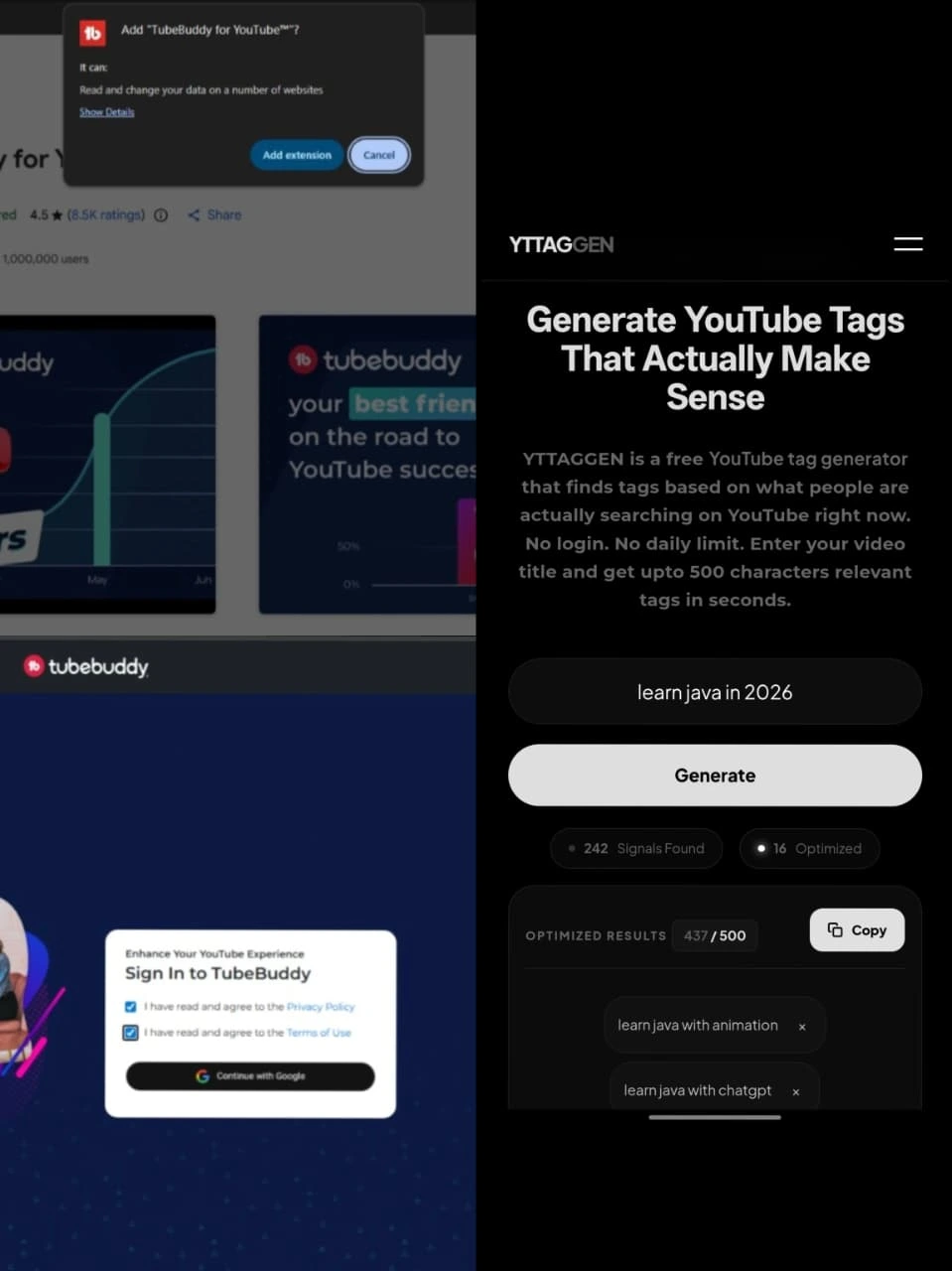
TubeBuddy and VidIQ built their tag features as Chrome extensions — and for years, that was the dominant model. But browser extensions come with real trade-offs: installation friction, YouTube login requirements, performance overhead, and privacy concerns. We tested the best extension-based tools and the best web-app alternatives. Here's what we found.
1. The Chrome Extension Model — Benefits and Drawbacks
Chrome extensions for YouTube SEO gained popularity because they integrate directly into YouTube Studio — overlaying keyword scores, tag suggestions, and analytics data right inside the YouTube interface. That tight integration is genuinely useful when you're uploading a video and want tag data visible in context.
But the extension model comes with meaningful trade-offs that don't get discussed enough:
Installation and Maintenance Friction
Every Chrome update, every browser reinstall, and every new computer means reinstalling your extension. Extensions also require regular permission updates and can break when YouTube updates its interface.
Mandatory YouTube Account Login
Every major extension-based tag tool requires you to connect your YouTube account. This is necessary for the deep-channel-analytics features — but if you just want tags, it's overhead you don't need.
Privacy Overhead
By connecting your YouTube account to a third-party extension, you're granting that service access to your channel data. That's a legitimate trade-off for full channel management tools — but overkill if you just need a tag generator.
Browser Dependency
Extensions only work in Chrome (or Chromium-based browsers). If you upload from Firefox, Safari, or a device without Chrome — you're out of luck.
2. The Main Chrome Extension Tag Tools
TubeBuddy (Chrome Extension)
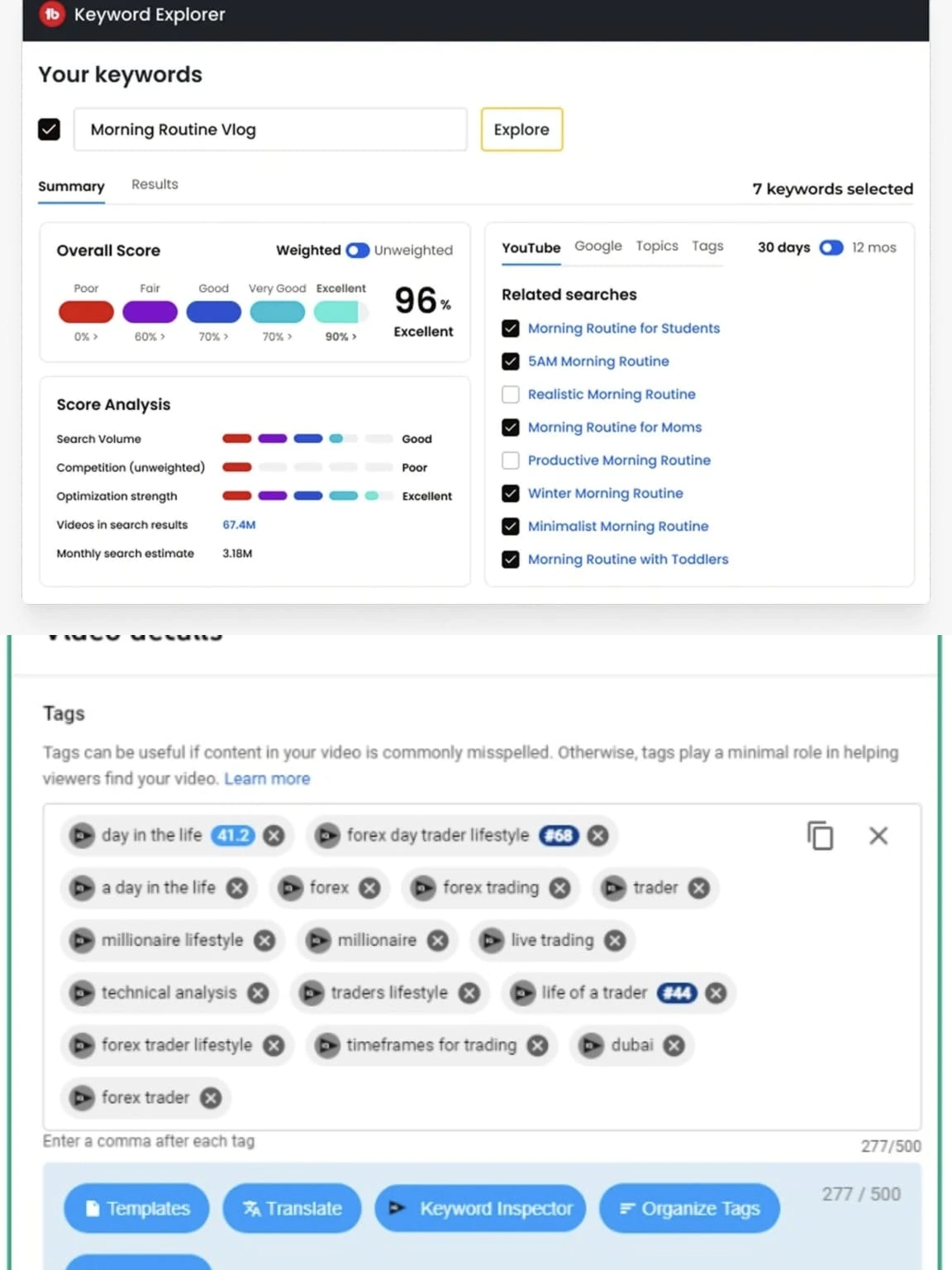
TubeBuddy is the most feature-complete YouTube management extension available. Its tag suggestion feature works inside YouTube Studio during upload — showing keyword scores and autocomplete suggestions inline. The free tier offers limited suggestions; Pro ($9/mo as of 2026) unlocks full tag explorer and keyword research. Best for: channel managers who want full YouTube Studio integration and are willing to pay for it. Learn more at tubebuddy.com.
VidIQ (Chrome Extension + Web)
VidIQ's Chrome extension shows keyword scores and tag suggestions within YouTube Studio. It also has a web dashboard with more extensive keyword research tools. The extension approach gives you in-context tag data during upload. Free tier is limited; Boost plan ($39/mo) has full features. Best for: data-focused creators who want search volume and competition scores. Learn more at vidiq.com.
rapidtags (Web-based, no extension)
RapidTags is technically a web app but often appears in extension comparison discussions. It generates tags from a web interface — no extension needed, but has daily limits on the free plan. Good UX but limited output on free tier.
3. Web-Based Alternatives (No Extension Needed)
Web-based tag generators offer a different trade-off: less deep integration with YouTube Studio, but significantly lower friction, no privacy overhead, and cross-browser/cross-device compatibility.
YTTAGGEN (Our Tool — Fully Free, No Login)
YTTAGGEN is a web app accessible from any browser on any device. No extension installation, no YouTube account connection, no daily limit. You open the URL, enter your title, get 30-40 tags, copy them, and paste into YouTube Studio. Zero friction end to end. The output quality matches or exceeds extension-based tools for pure tag generation.
Keyword Tool for YouTube (Web)
KeywordTool.io has a YouTube-specific mode that pulls autocomplete data from YouTube. Results are shown but partially obscured on the free plan — you need a paid plan to see full results. Good data, limited free access. Visit keywordtool.io.
TagsForYouTube.com (Web)
A simple web-based tag generator with a clean interface. Limited tag count on free searches. No login required. Works but generates fewer tags than YTTAGGEN per search.
4. Extension vs Web App: Which Is Better for Tags?
The verdict depends on what you actually need. For pure tag generation — which is what most creators need most of the time — a web app is simpler, faster, and less invasive. For full channel management with in-context SEO data, extensions earn their place.
5. Privacy and Security Considerations
This doesn't get discussed enough in tag tool comparisons, but it's worth understanding. When you install a Chrome extension and connect your YouTube account, you're granting that service OAuth access to your channel data. Most reputable tools (TubeBuddy, VidIQ) have clear privacy policies and don't misuse this access — but it's a real permission grant.
For smaller channels or creators who are privacy-conscious, a no-login web tool like YTTAGGEN is genuinely the lower-risk option. There's no OAuth grant, no account connection, and no third-party access to your channel data. You get your tags and the interaction ends there.
6. Our Recommendation
If you want tag generation only — no analytics, no competitor research, just relevant tags for your video — a web app is the right tool. YTTAGGEN specifically is the best free option: no extension, no login, no limit, more tags per search than any competing free tool.
If you want tag generation plus deep channel analytics, keyword competition scores, and in-context YouTube Studio integration — TubeBuddy Pro or VidIQ Boost are worth the monthly cost for professional operations. The extension model makes sense when you're using the full feature suite.
Most creators, most of the time, need the first scenario. Start there.
Try YTTAGGEN — No Extension Required
Open in any browser. No installation. No login. Tags in 15 seconds.
Open Free Tag Generator →Related Guides
New From The Blog
Frequently Asked Questions
Are Chrome extension tag generators better than web tools?
Not necessarily. Extensions add convenience (working inside YouTube Studio) but require installation, browser permissions, and often a YouTube account login. Web-based tools like YTTAGGEN work without any of these requirements and generate tags from the same autocomplete data source.
Is it safe to use tag generator Chrome extensions?
Reputable extensions from established publishers (TubeBuddy, VidIQ) are safe. Unknown extensions requesting broad permissions should be approached carefully — check reviews, user count, and the publisher's reputation before installing. Extensions that request access to your Google/YouTube account have significant data access.
Do tag generator extensions work on all browsers?
Most are Chrome-only or have limited Firefox support. If you use Safari, Brave, or Edge, a web-based tag generator is the more reliable option as it works across all browsers without installation.
YouTube Tags Strategy — Complete Guide Series
Everything you need to know about YouTube tags — from whether they work, to how many to use, to niche-specific lists for your channel type. Use YTTAGGEN's free tag generator to apply what you learn instantly.
Do Tags Still Matter in 2026? →
Honest algorithm breakdown
How Many Tags Should You Use? →
The 500-character strategy
Tags Not Working? Fix It →
5 real reasons + solutions
Best Gaming Tags 2026 →
Full lists for every gaming niche
Best Cooking Tags 2026 →
Recipe, dietary, cuisine lists
Best Tech Review Tags 2026 →
Smartphone, laptop, unboxing tags
Best Finance Tags 2026 →
Investing, crypto, personal finance
Tags vs Hashtags Explained →
Key differences + when to use each
How to Add Tags Step by Step →
YouTube Studio guide 2026
YouTube Tags for Beginners →
Complete 2026 beginner guide